

Online Stopwatch
Measure, record and export times with millisecond precision. No sign-up needed.
Press Start first to begin measuring.
Press Lap while the stopwatch is running to record split times.
| # | Visual comparison | Split | Cumulative | Mark |
|---|
Select all text (Ctrl+A) and copy (Ctrl+C).
Simultaneous stopwatches
Track multiple independent times with names, laps and local storage on this device.
Maximum of 12 simultaneous stopwatches.
Add a stopwatch to time multiple activities at once.
Ready
No laps recorded.
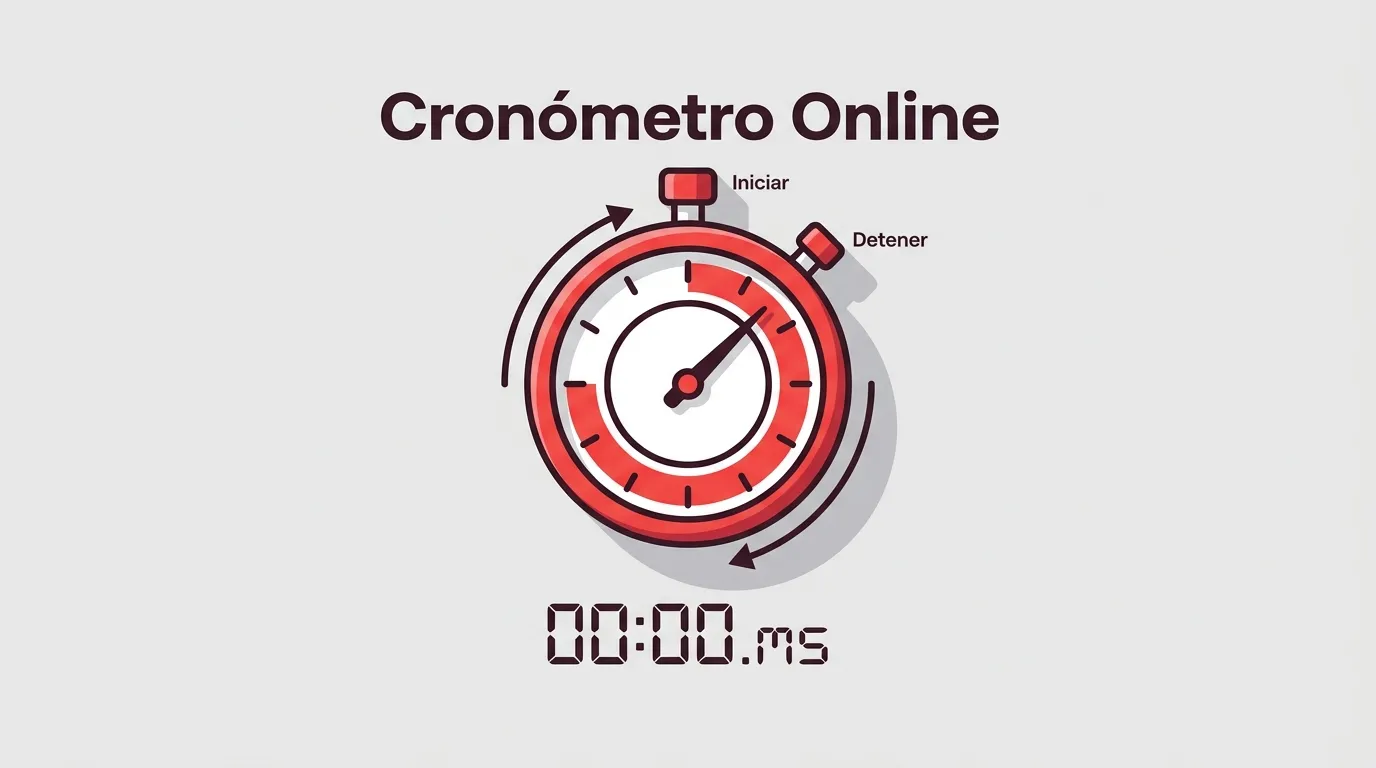
Introduction to the online stopwatch
An online stopwatch is a web tool that measures elapsed time with millisecond precision (0.001 s), directly in your browser. It works on any computer, mobile device or tablet, without downloads or sign-up. This free online stopwatch offers lap and split time recording, full-screen mode, CSV export and screen-reader compatibility.
Online stopwatch, no download
Opens instantly in any browser. No installation, no sign-up, no ads.
High millisecond precision
Uses the browser's monotonic clock (performance.now()) to measure exact intervals.
What is a stopwatch?
A stopwatch is a timekeeping instrument that measures elapsed time between two events, counting upward from zero. Unlike a clock, which shows the current time in a time zone, a stopwatch measures intervals: seconds, minutes and hours from when you press start until you press stop.
A stopwatch has 3 fundamental parts: a measurement mechanism (quartz oscillator in digital ones, spiral spring in mechanical ones), user controls (start, pause and reset button), and a display or dial showing elapsed time.
How to use the online stopwatch
4 steps, nothing to install, from any browser.
Press Start
Use the button or the Space key. The online stopwatch begins counting instantly with millisecond precision.
Record laps
Press the Lap button or the L key. Each lap saves the split time and the cumulative time.
Pause whenever
Press Space to pause. Time is not lost, even if you close the tab or reload the page.
Export or share
Copy the table to the clipboard, download it as CSV, or generate a link to share your results.
Keyboard shortcuts
Everything you can do with the mouse you can do with the keyboard. These are the 9 available shortcuts:
What is an online stopwatch used for
There are 6 main contexts where an online stopwatch is the most practical time-measurement tool:
Sport & training
Sprint sets, HIIT intervals, Tabata sessions, pool lengths. The split/cumulative combination reveals whether pace is consistent or fatigue is setting in. Export the CSV and paste it into your training log.
Classroom & exams
Full-screen stopwatch with giant digits visible from the back of the room. For timed tests, turn-based exercises, or any classroom timing tool.
Study & focus
Stopwatch for study sessions using the Pomodoro technique. Measure how long you've been focused without the visual noise of a countdown.
Cooking
Kitchen stopwatch to time fermentations, oven times and turnovers. Times stay visible on screen, not on a phone alarm that turns itself off.
Lab & science
Physics or chemistry labs recording reaction times or free-fall durations. Millisecond precision and CSV export with raw data for analysis.
Presentations & exams
Rehearse a talk, time speaking turns, time mock oral exam sessions. Full screen with digits readable from metres away.
How a stopwatch works
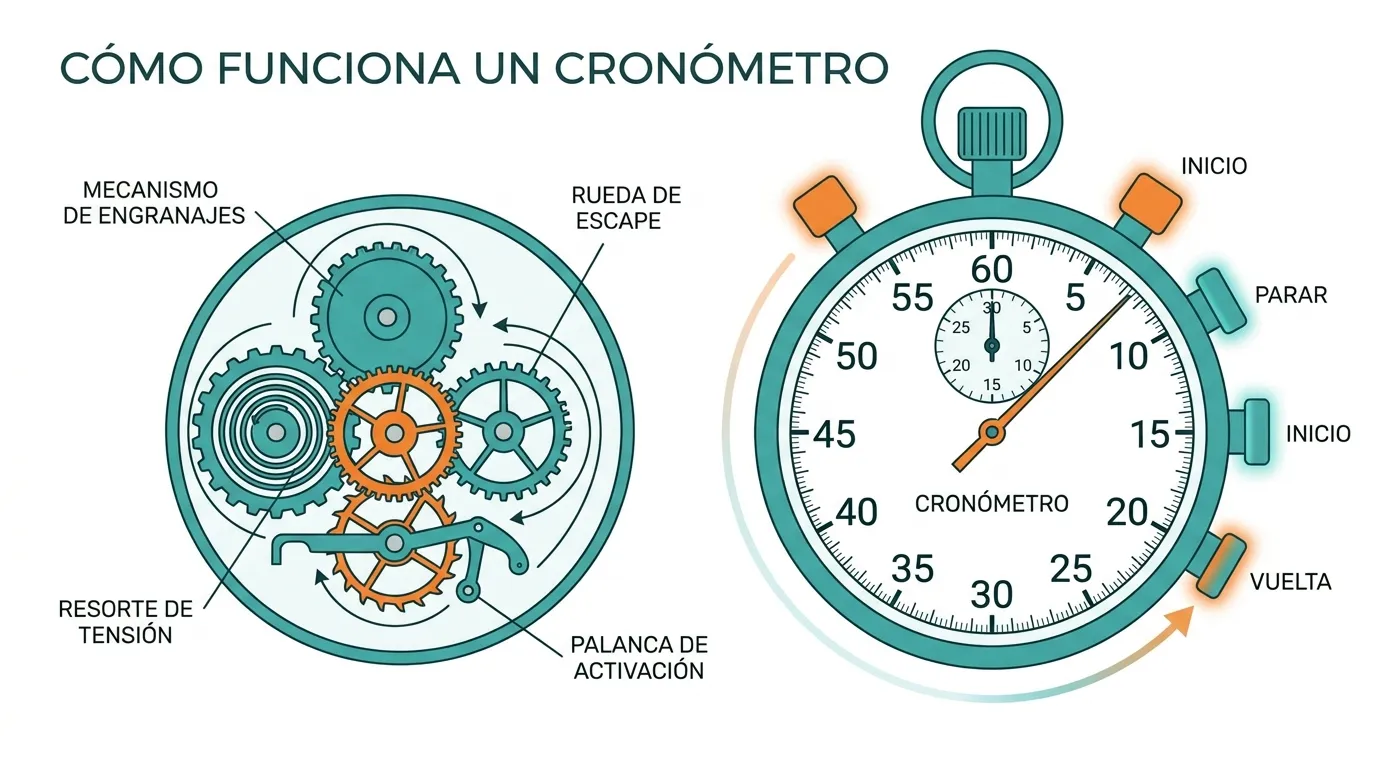
A stopwatch works by counting oscillations from a stable time source and converting that count into readable units: seconds, hundredths and milliseconds. The process has 4 phases:
In an online digital stopwatch, the time source is the browser's monotonic clock (performance.now()). This clock only advances forward and is unaffected by system date adjustments or time-server synchronisations. Real resolution is limited by browser security to a few tenths of a millisecond in Chrome and around 1 ms in Firefox and Safari.
The dominant measurement error is not the browser. Human reaction time when pressing start or lap is 200 to 300 milliseconds (0.2 to 0.3 s), an order of magnitude larger than any clock imprecision. For measurements where that matters, the solution is to combine this stopwatch with photocells or sensors, not with another stopwatch.
Types of stopwatches
There are 4 main types of stopwatches, classified by their measurement mechanism:
Mechanical (analogue)
Spiral spring + lever escapement. Resolution of 0.1 s (1/10 s). Works without batteries or electricity.
Resolution: 0.1 sDigital quartz
Crystal oscillator at 32,768 Hz. Resolution of 0.01 s (hundredths). Used in sports watches and handheld stopwatches.
Resolution: 0.01 sOnline / Web app
Browser monotonic clock. Resolution of 0.001 s (milliseconds). Works on computers, tablets and mobile devices.
Resolution: 0.001 sHigh-precision sports
Temperature-compensated quartz (TCXO) + photocells. Resolution of 0.0001 s (ten-thousandths). For official competition.
Resolution: 0.0001 sAnalogue vs digital stopwatch
Here are the 7 key differences between an analogue (mechanical) stopwatch and a digital stopwatch:
| Feature | Analogue | Digital |
|---|---|---|
| Time source | Spiral spring + escapement | Quartz crystal / browser clock |
| Resolution | 0.1 s (1/10 of a second) | 0.001 s (1 millisecond) |
| Lap recording | Manual with rattrapante hand | Automatic with data table |
| Power | Manual winding (no battery needed) | Battery / device power |
| Export data | Not possible | CSV, clipboard, shared link |
| Price | From €30 to thousands | Free (free online stopwatch) |
| Maintenance | Periodic calibration and lubrication | No maintenance |
Laps and split times: what's the difference
A split measures the segment between 2 consecutive laps; the cumulative measures total time since the stopwatch started. This distinction causes confusion because many stopwatches show only one of the two values. This online stopwatch with laps shows both in two columns, to eliminate mental subtraction.
Real example with 3 laps of about 4 seconds each:
| Lap | Split | Cumulative | Comparison |
|---|---|---|---|
| 1 | 4.24 s | 4.24 s | — |
| 2 | 3.98 s | 8.22 s | ▲ 0.26 s faster |
| 3 | 4.12 s | 12.34 s | ▼ 0.14 s slower |
The second lap is the fastest, 0.26 s below the average (4.11 s). In the stopwatch table, the fastest lap is marked with an upward triangle and the slowest with a downward triangle. A summary row shows statistics: mean, median and deviation.
Stopwatch vs clock: key differences
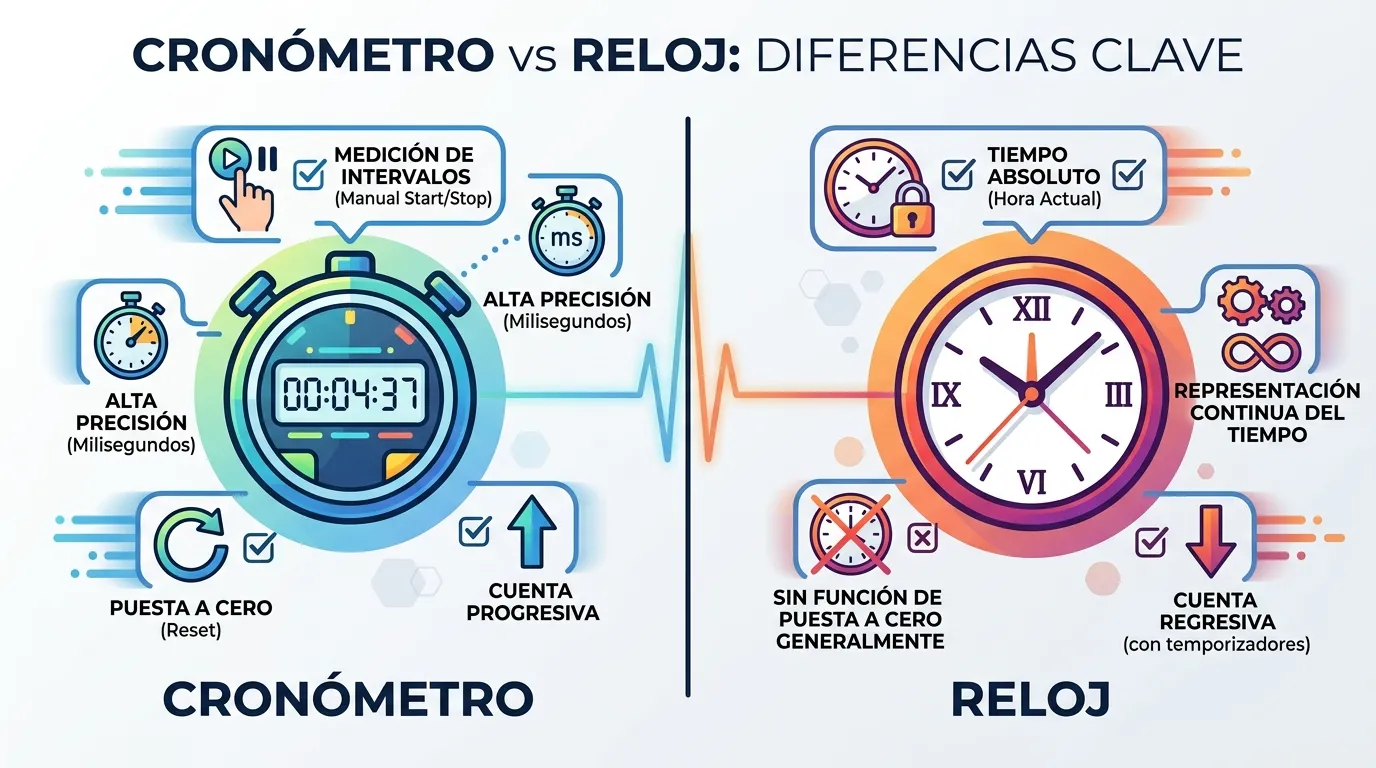
Stopwatch, timer, countdown and clock are 4 time-measurement tools that are often confused. Here are the practical differences:
| Tool | What it does | When to use it |
|---|---|---|
| Stopwatch | Counts time upward, from zero | Measure the duration of something without knowing how long it will take |
| Timer | You set a time and it alerts when done | Control a fixed period (cooking, study, break) |
| Countdown | Counts down to a fixed date or time | Wait for a specific event (end of term, launch) |
| Clock | Shows current time in a time zone | Know what time it is, not measure duration |
When did the stopwatch originate?
The stopwatch originated in 1816 when Louis Moinet built the first chronograph with a resolution of 1/60 of a second. The evolution of timekeeping since then covers 5 key milestones:
First chronograph
Louis Moinet creates the first portable timekeeping instrument with a resolution of 1/60 of a second (0.0167 s) for astronomical observations.
Sports stopwatch
Nicolas Mathieu Rieussec patents the first chronograph for timing horse races. It marks seconds with an ink drop on the dial.
Hundredths of a second
Heuer presents the Mikrograph stopwatch with a resolution of 1/100 of a second (0.01 s). First mechanical stopwatch to reach hundredths of a second.
The quartz era
Seiko launches the first quartz chronograph. The crystal oscillator at 32,768 Hz gives a stable resolution of hundredths of a second without manual calibration.
Online stopwatch
Web browsers incorporate high-resolution timing APIs. The online stopwatch reaches any computer or mobile device with millisecond precision, free and without downloads.
Frequently asked questions
Is an online stopwatch accurate?
performance.now()), a clock that only advances forward and is not affected by date adjustments or network synchronisations. On a current computer or mobile device, the real resolution is 1 ms or better. The factor dominating measurement error is not the browser but human reaction time when pressing the buttons: between 200 and 300 milliseconds (0.2 to 0.3 s).Does the stopwatch work if I switch tabs or lock my phone?
Are my times lost if I reload the page?
localStorage. When you reload the page, everything is automatically restored. A running stopwatch continues counting from the correct moment. Sessions saved more than 24 hours ago are restored paused for safety.Can I use it offline?
How do I go full screen?
Can I export or share my times?
Are my data saved on any server?
localStorage, nothing is sent to any server, and we do not use tracking cookies. The only moment information leaves is when you generate a share link.